
Facebook Twitter
    Facebook Twitter
    Business Magazine
    • Home
    • Business
      • Small Business
      • Travel
      • Entertainment Industry
      • Healthcare Industry
    • Finance
    • Technology
    • Retail
    • About
    • Say Hello
    Business Magazine
    Home»Wealth & Home»How to Make Your Work-from-Home Setup More Comfortable
    Wealth & Home

    How to Make Your Work-from-Home Setup More Comfortable

    Alina SmithBy Alina Smith4 Mins Read
    Facebook Twitter
    Work-from-Home Setup

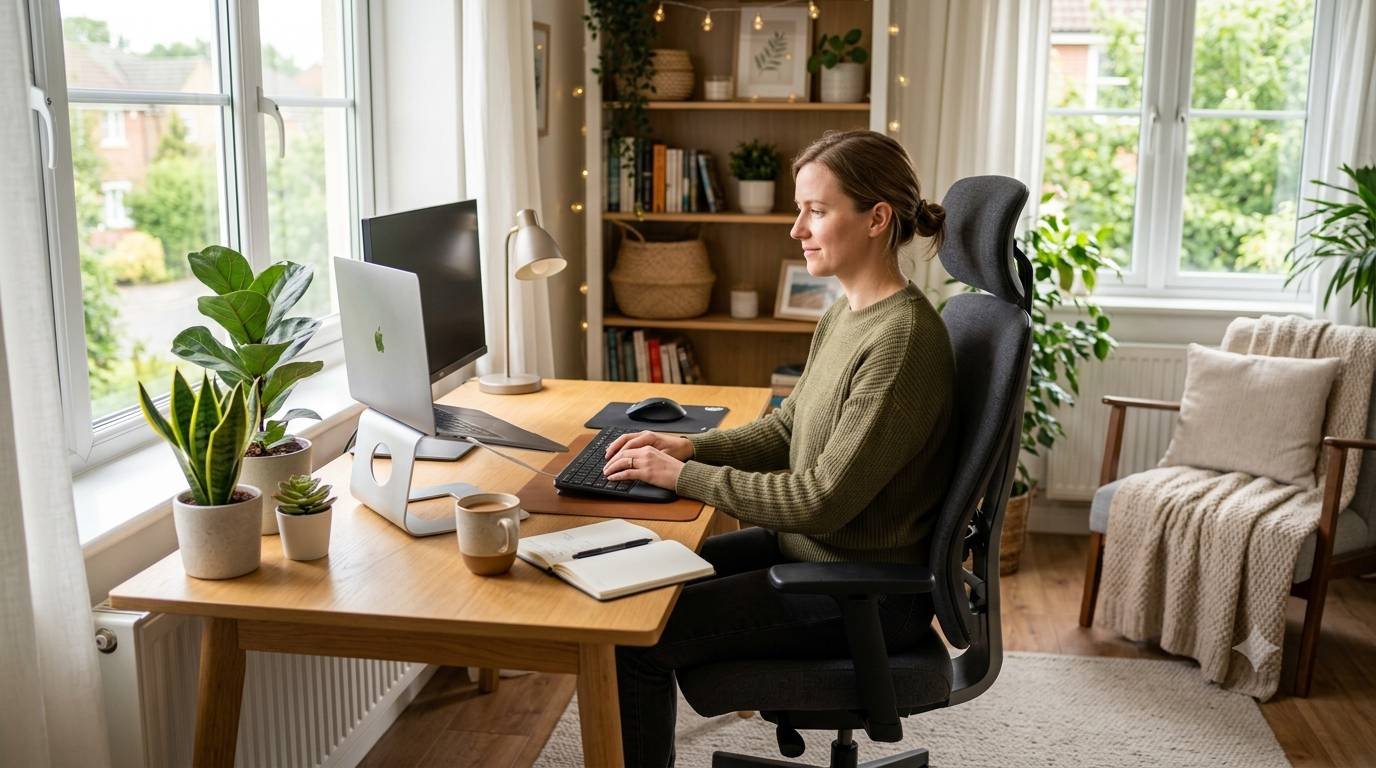
    Working from home offers plenty of freedom, but long hours at a desk can quickly become uncomfortable if your workspace isn’t set up properly. Choosing supportive home office chairs is a good place to start, but comfort depends on much more than where you sit. From desk height and screen position to lighting and small personal touches, a few thoughtful changes can make your home office a far more pleasant place to spend the workday.

    Start With the Right Chair

    Your chair is one of the most important parts of your home workspace, especially if you spend several hours sitting each day. A suitable chair should offer enough support while allowing you to adjust your position throughout the day.

    Look for features such as adjustable seat height, good lumbar support, and enough space to sit comfortably without feeling restricted. Your feet should rest flat on the floor, while your knees should sit at roughly a right angle. If your feet do not reach the floor comfortably, a footrest can provide useful extra support.

    Also avoid sitting in the same position for hours. Even a well-designed chair cannot compensate for a completely static working posture.

    Get Your Desk Height Right

    A desk that is too high or too low can strain your shoulders, wrists, and neck. Ideally, your desk should let your forearms rest comfortably while your elbows stay close to your body.

    When typing, keep your wrists in a relaxed, neutral position rather than bending them upwards or downwards. If your desk is not adjustable, you can sometimes improve your position by raising your chair or using a keyboard and mouse separately from a laptop.

    The goal is to create a setup that feels natural rather than forcing your body into an awkward position.

    Position Your Screen Carefully

    Looking down at a laptop for hours can leave your neck feeling stiff and tired. Position your screen so the top of the display is around eye level or slightly below.

    A laptop stand, monitor riser, or even a stable stack of books can help bring the screen to a more suitable height. If you use a raised laptop, consider adding a separate keyboard and mouse so that your arms can remain in a comfortable position.

    Try to keep your screen at a sensible distance, too. You should be able to read text without leaning forward or constantly moving closer.

    Pay Attention to Lighting

    Good lighting can make a surprisingly large difference to how comfortable your workspace feels. Natural daylight is ideal when possible, especially when your desk is near a window without creating distracting glare on the screen.

    During darker hours, use a desk lamp or another suitable light source to illuminate your working area. Avoid relying solely on a bright screen in an otherwise dark room, as the contrast can make your eyes feel more tired.

    Adjust blinds or curtains throughout the day if sunlight begins reflecting directly onto your display.

    Keep Your Workspace Tidy

    A cluttered desk can make it harder to concentrate and may make it feel like your workday never really ends. Keeping only the essentials within easy reach can create a calmer and more organised environment.

    Cable management is another simple improvement. Clips, cable sleeves, or simple ties can prevent wires from tangling across your desk or floor. Keeping chargers, notebooks, and other frequently used items in consistent places also makes your workspace easier to manage.

    Add a Few Personal Comforts

    Comfort is not only about posture and furniture. Small details can affect how enjoyable your workspace feels throughout the day.

    A plant, framed print, soft desk mat, or favorite mug can add personality without being distracting. If you work in a particularly warm or cold room, pay attention to ventilation and temperature as well. A comfortable environment makes it easier to stay focused without constantly adjusting your surroundings.

    Build Movement Into Your Day

    One of the simplest ways to make working from home more comfortable is to avoid staying at your desk continuously. Stand up regularly, stretch your legs, refill your water bottle, or take a short walk between tasks.

    Brief movement breaks can help break up long periods of sitting and give your eyes a rest from the screen. You could also take phone calls while standing or walk around during audio meetings when appropriate.

    Conclusion

    No single home office arrangement is perfect. The best setup supports your working habits, your space, and your comfort throughout the day. A supportive chair, correctly positioned screen, suitable lighting, and regular movement can make a noticeable difference without requiring a complete redesign of your home.

    Instead of creating a picture-perfect office, focus on making the space practical, comfortable, and easy to use. Small improvements often add up to a workspace that feels much better day after day.

    Related posts:

    1. Commercial blinds and external blinds to add a dash of style to your homes and offices
    2. Ask these questions before you buy pet insurance
    3. Modern bedding ideas
    4. Tips To Make Dried Squid
    Share. Facebook Twitter

    Related Posts

    Must-Have Cleaning Tools For Handling Everyday Household Chores

    Common Furnace Problems and How to Prevent Costly Repairs

    Comments are closed.

    Don't Miss
    Wealth & Home

    How to Make Your Work-from-Home Setup More Comfortable

    By Alina Smith

    Working from home offers plenty of freedom, but long hours at a desk can quickly…

    8 Simple Project Management Strategies Every Team Should Know

    Best Local SEO Tools for Small Businesses in 2026

    10 Useful AI Tools For Work, Study and Everyday Life

    Follow Us on Twitter.
    Tweets by @BusinessMagazi
    • Facebook
    • Twitter
    Categories
    • Automotive
    • Business
    • Society & Culture
    • Business News
    • Corporate World
    • Economy & Finance
    • Entertainment Industry
    • Entrepreneurship
    • Healthcare Industry
    • Human Resources
    • Interviews
    • Manufacturing
    • Retail
    • Small Business
    • Startups
    • Technology
    • Travel Business
    • Wealth & Home
    Labels
    • Software
    • Personal Finance
    • Investment
    • Jewellery
    • Accounting
    • Cybersecurity
    • Outsourcing
    • Logistics
    • Finance Tips
    • Money Management
    • Leather
    • Fashion

    Welcome to Business-Magazine. We set up a Business Magazine blog in 2009. Our core topics are business news, finance, marketing related subjects. Read the latest international business news ,finance, technical and small business quality posts reviewed by experts. Read the latest international business news ,finance, technical and small business quality posts reviewed by experts. I like to write about the latest business news.

    About Us

    Hello, welcome to my Business-Magazine blog. I am Charles Michel, I set up a Business Magazine blog in 2009. The blog is all about business, travel, health, shopping, news, finance, entertainment, and marketing-related topics.

    Top Categories
    • Automotive
    • Business
    • Society & Culture
    • Business News
    • Corporate World
    • Economy & Finance
    • Entertainment Industry
    • Entrepreneurship
    • Healthcare Industry
    Latest Posts

    How to Make Your Work-from-Home Setup More Comfortable

    8 Simple Project Management Strategies Every Team Should Know

    Best Local SEO Tools for Small Businesses in 2026

    Quick Links
    • About
    • Contact
    • Homepage
    • Privacy
    Facebook Twitter
    • About
    • Contact
    • Privacy
    • Site Map
    Copyright © 2009-2026 Business Magazine

    Type above and press Enter to search. Press Esc to cancel.

    We use cookies on our website to give you the most relevant experience by remembering your preferences and repeat visits. By clicking “Accept”, you consent to the use of ALL the cookies.

    ACCEPT
    Manage consent

    Privacy Overview

    This website uses cookies to improve your experience while you navigate through the website. Out of these, the cookies that are categorized as necessary are stored on your browser as they are essential for the working of basic functionalities of the website. We also use third-party cookies that help us analyze and understand how you use this website. These cookies will be stored in your browser only with your consent. You also have the option to opt-out of these cookies. But opting out of some of these cookies may affect your browsing experience.
    Necessary
    Always Enabled
    Necessary cookies are absolutely essential for the website to function properly. These cookies ensure basic functionalities and security features of the website, anonymously.
    CookieDurationDescription
    cookielawinfo-checbox-analytics11 monthsThis cookie is set by GDPR Cookie Consent plugin. The cookie is used to store the user consent for the cookies in the category "Analytics".
    cookielawinfo-checbox-functional11 monthsThe cookie is set by GDPR cookie consent to record the user consent for the cookies in the category "Functional".
    cookielawinfo-checbox-others11 monthsThis cookie is set by GDPR Cookie Consent plugin. The cookie is used to store the user consent for the cookies in the category "Other.
    cookielawinfo-checkbox-necessary11 monthsThis cookie is set by GDPR Cookie Consent plugin. The cookies is used to store the user consent for the cookies in the category "Necessary".
    cookielawinfo-checkbox-performance11 monthsThis cookie is set by GDPR Cookie Consent plugin. The cookie is used to store the user consent for the cookies in the category "Performance".
    viewed_cookie_policy11 monthsThe cookie is set by the GDPR Cookie Consent plugin and is used to store whether or not user has consented to the use of cookies. It does not store any personal data.
    Functional
    Functional cookies help to perform certain functionalities like sharing the content of the website on social media platforms, collect feedbacks, and other third-party features.
    Performance
    Performance cookies are used to understand and analyze the key performance indexes of the website which helps in delivering a better user experience for the visitors.
    Analytics
    Analytical cookies are used to understand how visitors interact with the website. These cookies help provide information on metrics the number of visitors, bounce rate, traffic source, etc.
    Advertisement
    Advertisement cookies are used to provide visitors with relevant ads and marketing campaigns. These cookies track visitors across websites and collect information to provide customized ads.
    Others
    Other uncategorized cookies are those that are being analyzed and have not been classified into a category as yet.
    SAVE & ACCEPT