

Editorial Information Panel
Last reviewed: August 7, 2026
Next scheduled review: November 2026
Pricing market: United States
Pricing basis: Standard publicly listed prices, excluding taxes and temporary promotions
Research sources: Official product, pricing, feature, support, security, and integration pages
Evaluation criteria: Usability, features, pricing, automation, scalability, reporting, integrations, security, customer support, and overall valueEditorial disclosure: This comparison was independently researched and prepared using publicly available information and consistent evaluation criteria. The software providers did not pay for inclusion or influence their rankings. Placement reflects our editorial assessment rather than market share or commercial relationships.
Prices, features, plan limits, integrations, and promotional offers may change. Readers should confirm current subscription costs, user allowances, payroll fees, payment-processing charges, tax capabilities, and regional availability directly with each provider before purchasing. Accounting software does not replace advice from a qualified accountant, CPA, payroll professional, or tax advisor.
TL;DR
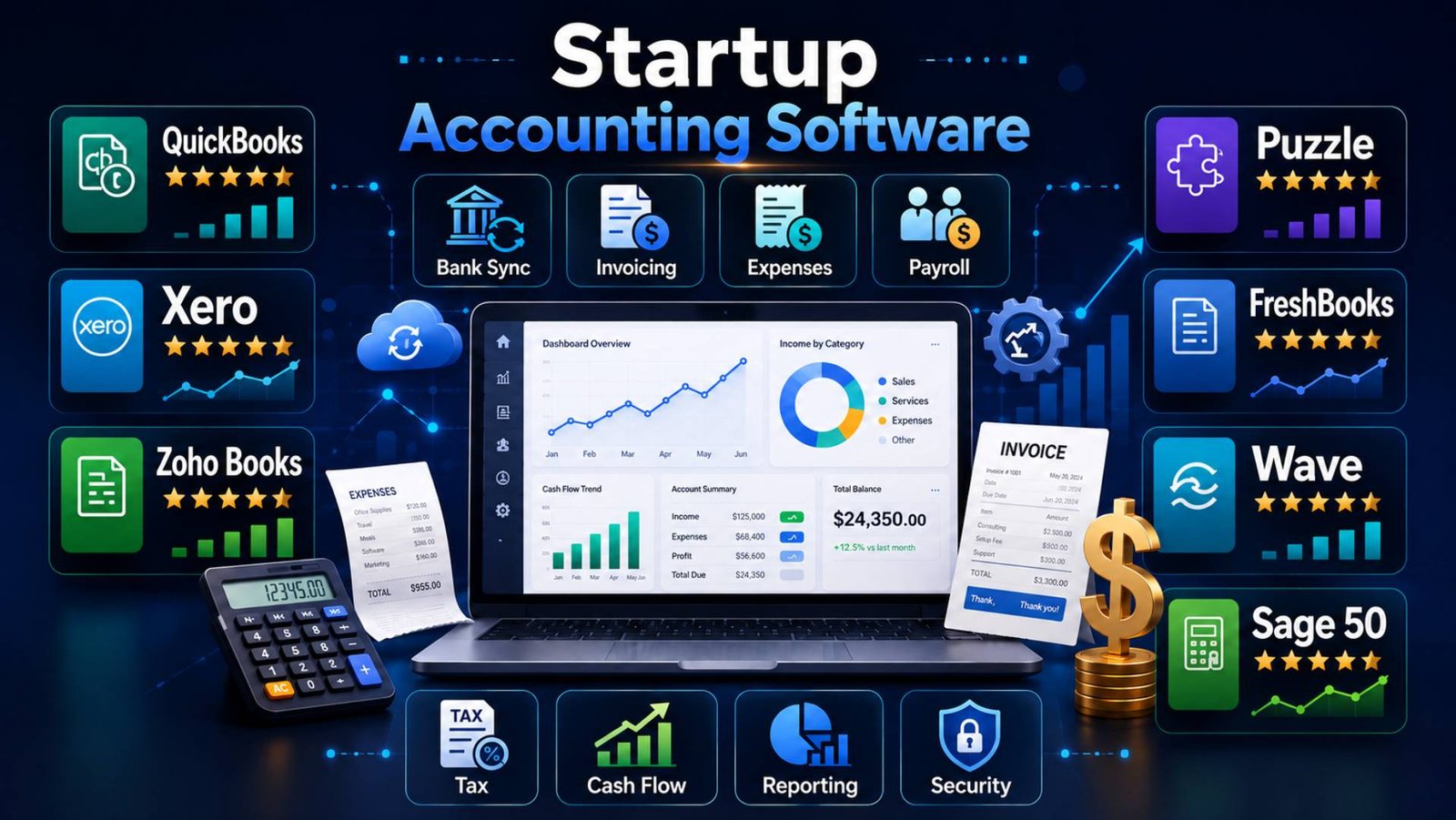
This comparison reviews seven startup accounting software options based on pricing, usability, automation, reporting, integrations, scalability, security, and customer support. QuickBooks Online ranks first for overall functionality and professional familiarity, while Xero, Zoho Books, Puzzle, FreshBooks, Wave, and Sage 50 suit different business models, budgets, and growth stages. The article also explains how to compare total costs, payroll and tax capabilities, industry requirements, integrations, and outsourced accounting support.
Introduction
Startup accounting becomes complicated long before a company considers itself established. A founder may begin with one bank account and a few monthly expenses, but the financial workload expands quickly when the business hires employees, accepts subscription payments, raises capital, sells in multiple states, or starts reporting to investors.
Spreadsheets can record early transactions, but they rarely provide dependable controls. Duplicate entries, missing receipts, inconsistent expense categories, delayed reconciliation, and outdated cash-flow estimates can leave founders making decisions with incomplete information. These problems also increase the cost of tax preparation and financial cleanup.
The best accounting software for startups creates a reliable financial system without forcing founders to become accountants. It can import bank transactions, organize expenses, issue invoices, monitor unpaid bills, reconcile accounts, prepare financial statements, support payroll, and give tax professionals controlled access to the books. More advanced platforms can track inventory, projects, departments, recurring revenue, burn rate, and runway.
Software does not replace financial judgment. Automated categorization can still be wrong, and AI-generated insights must be reviewed. However, an appropriate platform reduces repetitive work and gives founders, bookkeepers, and accountants a shared source of financial information.
For this comparison, seven platforms were evaluated on:
- Ease of setup and daily use
- Accounting depth and reporting
- Automation and bank reconciliation
- Standard pricing and likely upgrade costs
- Payroll, inventory, tax, and invoicing capabilities
- Integrations with startup tools
- Mobile access and customer support
- Security controls and accountant collaboration
- Suitability for different startup stages
- Long-term value as transaction volume and headcount increase
The rankings reflect overall usefulness to US startups rather than the number of advertised features. A bootstrapped consultant and a venture-backed SaaS company have very different requirements, so the highest-ranked product will not be the best choice in every situation.
Key Takeaways
- QuickBooks Online is the best overall option for startups needing comprehensive accounting features, extensive integrations, and broad accountant support.
- Xero is a strong choice for collaborative and growing teams because it provides unlimited users and connects with more than 1,000 applications.
- Zoho Books offers excellent value for budget-conscious startups, particularly those already using the Zoho ecosystem.
- Puzzle suits venture-backed and SaaS startups that prioritize burn rate, runway, revenue, and real-time financial insights.
- FreshBooks works well for agencies, consultants, and service businesses requiring invoicing, time tracking, retainers, and client billing tools.
- Wave provides an accessible starting point for freelancers and micro-startups with straightforward accounting requirements.
- Sage 50 is better suited to inventory-intensive businesses that need detailed accounting and operational controls.
- Startups should compare renewal prices, payroll charges, user limits, payment-processing fees, integrations, and upgrade costs—not just advertised starting prices.
- Accounting automation can reduce manual work, but financial records, reconciliations, and AI-generated entries still require human review.
- Outsourced accounting may be appropriate when bookkeeping, payroll, tax, and compliance responsibilities become too complex or time-consuming to manage internally.
Quick Comparison Table
| Rank | Software | Best For | Starting Price | Free Plan/Trial | Standout Feature | Rating |
| 1 | QuickBooks Online | Best overall | $38/month | 30-day trial | Accountant network and broad feature set | 9.1/10 |
| 2 | Xero | Collaborative and scaling teams | $25/month | First month free | Unlimited users and 1,000+ integrations | 8.9/10 |
| 3 | Zoho Books | Best value and Zoho users | $0; paid from $20/month | Free plan; paid-plan trial | Strong automation at competitive prices | 8.8/10 |
| 4 | Puzzle | Venture-backed and SaaS startups | $25/month annually | 14-day trial | Burn, runway, and startup-focused reporting | 8.6/10 |
| 5 | FreshBooks | Agencies and client-service startups | $23/month | 30-day trial | Invoicing, retainers, and time tracking | 8.3/10 |
| 6 | Wave | Bootstrapped micro-startups | $0; Pro is $19/month | Free plan | Free bookkeeping and unlimited invoicing | 8.1/10 |
| 7 | Sage 50 | Inventory and accounting-heavy businesses | $128.67/month | Availability varies | Detailed inventory and financial controls | 7.8/10 |
The 7 Best Startup Accounting Software
1. QuickBooks Online — Best Overall
Overview
QuickBooks Online is a full double-entry accounting platform for small and growing businesses. It covers invoicing, expense management, bank reconciliation, financial reporting, contractor administration, sales tax, and optional payroll. Higher plans add inventory, project profitability, budgets, permissions, and more advanced reporting.
Its greatest advantage is not one individual feature. It is the surrounding ecosystem of accountants, bookkeepers, lenders, payment services, payroll tools, and third-party applications familiar with QuickBooks data.
Simple Start can support a founder-led business, while Plus and Advanced are better suited to startups with employees, inventory, departmental reporting, or more complex workflows. The interface has become more automated, but founders without bookkeeping knowledge may still need professional setup assistance.
Key Features
- Bank and credit-card transaction imports
- Invoicing, estimates, and payment collection
- Bill and expense management
- Sales-tax tracking
- Cash-flow and financial reports
- Project profitability on eligible plans
- Inventory on Plus and Advanced
- Optional payroll and bookkeeping services
- Accountant access
- Extensive third-party application marketplace
Pros
- Widely supported by US accountants and bookkeepers
- Comprehensive accounting and tax-preparation tools
- Strong reports for small-business decision-making
- Suitable for service and product startups
- Large integration ecosystem
- Clear upgrade path for growing companies
Cons
- Standard prices have increased substantially
- Inventory and project tools require higher plans
- Payroll and expert bookkeeping cost extra
- User limits apply to most plans
- The expanding interface can feel busy
- Promotions may obscure the ongoing cost
Pricing
QuickBooks Online’s standard US prices are:
- Simple Start: $38 per month
- Essentials: $85 per month
- Plus: $140 per month
- Advanced: $340 per month
A 30-day trial may be available. QuickBooks also advertises temporary introductory discounts, but startups should budget using the regular renewal price. Payroll begins separately and includes a base charge plus a per-employee fee. QuickBooks’ official product page lists current accounting and payroll prices.
Best For
US startups seeking a widely recognized accounting platform that can support both routine bookkeeping and more advanced small-business requirements.
Editor’s Take
QuickBooks Online earns first place because it presents the fewest practical adoption barriers for the broadest range of US startups. A founder can usually find an accountant who already understands it, and many banks, payroll providers, ecommerce tools, lenders, and expense platforms are prepared to work with QuickBooks data.
Its weaknesses are cost and packaging. A startup may begin with Simple Start but soon require bill management, more users, inventory, or project profitability. Those upgrades can create a large difference between the apparent entry price and the platform’s actual long-term cost. Xero offers better multiuser value, Zoho Books provides more functionality per dollar, and Puzzle presents startup-specific metrics more directly.
QuickBooks is still the safest general recommendation when a company needs conventional accounting, accessible professional support, and a system that external accountants or investors can readily interpret. Product startups should compare Plus against Zoho Professional before committing. Collaborative teams should examine Xero, while venture-backed SaaS companies should evaluate whether Puzzle’s burn and runway reporting saves enough analytical work to justify adopting a newer ecosystem.
QuickBooks offers good long-term value when its broad compatibility prevents migrations and manual work. It offers weaker value when a startup pays for a high-tier plan but uses only basic bookkeeping features.
Ratings
- Ease of Use: 8.8/10
- Features: 9.4/10
- Pricing: 7.7/10
- Integrations: 9.7/10
- Customer Support: 8.5/10
- Overall Score: 9.1/10
2. Xero — Best for Collaborative and Scaling Teams
Overview
Xero is a cloud accounting platform built around bank reconciliation, invoicing, bills, reporting, fixed assets, projects, and application integrations. It is particularly attractive to growing teams because its plans support unlimited users rather than charging for every additional seat.
The Early plan covers basic accounting but limits businesses to 20 invoices and five bills. Growing removes those restrictive transaction limits and adds stronger automation and dashboards. Established supports multiple currencies, projects, expenses, advanced analytics, and longer cash-flow forecasts.
Xero is suitable for startups that want several founders, finance employees, department leaders, and outside accountants to access the system with role-based permissions. It also works well for ecommerce and internationally oriented companies, although US payroll generally relies on integration with a separate provider.
Key Features
- Unlimited users on every plan
- Bank feeds and reconciliation
- Invoices, quotes, bills, and purchase orders
- Real-time financial reports
- Fixed-asset management
- Cash-flow forecasting
- Project and expense tracking on higher plans
- Multiple currencies on Established
- W-9 and 1099 management
- More than 1,000 application integrations
Pros
- No per-user subscription charge
- Clean, consistent accounting workflow
- Excellent bank reconciliation
- Strong application marketplace
- Suitable for distributed finance teams
- Helpful onboarding assistance
Cons
- Early imposes low invoice and bill limits
- Growing is a significant price increase
- Native US payroll is not included
- Inventory is adequate but not highly advanced
- Some analytical tools require Established
- Less familiar to some US accountants than QuickBooks
Pricing
- Early: $25 per month
- Growing: $55 per month
- Established: $90 per month
Xero offers the first month free at the time of review. Early includes only 20 invoices and five bills, making Growing the more realistic starting point for many active startups. Xero’s official pricing page confirms its plan limits, forecasts, reporting features, and access to more than 1,000 integrations.
Best For
Startups with multiple users, international ambitions, or a technology stack that depends heavily on connected applications.
Editor’s Take
Xero is the strongest QuickBooks alternative for startups that value collaboration. Unlimited users can materially reduce cost as the company adds an operations manager, fractional CFO, bookkeeper, department leaders, and outside accountant.
Its reconciliation experience is efficient, and the integration marketplace supports many ecommerce, payment, inventory, payroll, and reporting systems. That flexibility makes Xero a strong financial hub even when other applications handle specialized workflows.
The main pricing trap is the Early plan. Its invoice and bill limits are too restrictive for many operating companies, so founders should compare Xero Growing—not Early—with competing plans. QuickBooks has a larger US accountant network and more closely integrated payroll options. Zoho Books delivers lower-cost automation, while Puzzle provides more immediate startup metrics.
Xero is a sound long-term choice for a startup that expects broader internal financial participation. It is less suitable for a solo founder who needs only a few invoices or for a product company requiring sophisticated warehouse controls. Before adopting it, confirm that the startup’s accountant, payroll provider, and industry-specific applications support the intended workflow. If they do, Xero can scale for years without turning user access into a recurring budget problem.
Ratings
- Ease of Use: 9.0/10
- Features: 9.0/10
- Pricing: 8.4/10
- Integrations: 9.6/10
- Customer Support: 8.4/10
- Overall Score: 8.9/10
3. Zoho Books — Best Value
Overview
Zoho Books combines double-entry accounting with invoicing, expenses, bills, bank reconciliation, projects, purchase orders, sales-tax tools, inventory, automation, and customer and vendor portals.
It is especially compelling for startups already using Zoho CRM, Zoho Expense, Zoho Inventory, or other applications in the Zoho ecosystem. The free plan covers one user and one accountant, while Standard introduces connected bank feeds, recurring expenses, sales-tax tracking, custom reports, and API access. Professional adds inventory, multi-currency transactions, project profitability, approvals, and customizable workflows.
Zoho Books serves businesses ranging from solo operations to established companies. Its numerous menus and configuration choices require some setup, but the price-to-feature ratio is among the strongest in this comparison.
Key Features
- Free double-entry accounting plan
- Invoices, quotes, expenses, and journals
- Bank reconciliation and connected feeds
- Recurring transactions and reminders
- Sales-tax and 1099 tools
- Projects, timesheets, and retainers
- Inventory and purchase orders on Professional
- Workflow rules and custom functions
- Customer and vendor portals
- Native Zoho application connections
Pros
- Exceptional feature value
- Useful free plan
- Strong invoicing and workflow automation
- Inventory available below many competitors’ prices
- Email, voice, and chat support on paid plans
- Well suited to the wider Zoho ecosystem
Cons
- Configuration can feel dense
- Smaller US accountant network than QuickBooks
- Payroll availability depends on product and location
- Advanced inventory requires expensive tiers
- Some integrations are less polished than native Zoho connections
- Add-on charges can accumulate
Pricing
Monthly US prices are:
- Free: $0
- Standard: $20
- Professional: $50
- Premium: $70
- Elite: $150
- Ultimate: $275
Annual billing reduces Standard to $15 per month and Professional to $40 per month. Zoho’s free plan includes invoicing, recurring invoices, bank reconciliation, 1099 tools, and more than 50 reports. Connected bank feeds begin with Standard, while inventory and multi-currency accounting begin with Professional. See the official Zoho Books pricing comparison.
Best For
Budget-conscious startups, Zoho customers, and companies wanting affordable automation or inventory functionality.
Editor’s Take
Zoho Books is the value leader because it provides unusually capable accounting before reaching premium price levels. The free plan is not merely an invoice generator: it includes genuine bookkeeping functions and financial reports. Standard is suitable for many service startups, while Professional adds inventory, projects, multi-currency transactions, and purchasing controls at a lower list price than comparable high-tier plans from several competitors.
The compromise is ecosystem acceptance. QuickBooks remains easier to hand to many US accounting firms, and Xero has a broader independent application marketplace. Zoho Books is at its best when the company intentionally adopts connected Zoho products. Used in isolation, its extensive configuration options may feel more complicated than FreshBooks or Wave.
This platform deserves serious consideration from bootstrapped SaaS companies, agencies, online sellers, and operationally disciplined startups. It can provide excellent long-term value if the team maps its workflows before setup. A careless implementation may create too many custom fields, rules, and modules, making the books harder to administer.
Its reporting and automation tools can also support more consistent cash-flow management, particularly when businesses regularly review income, expenses, and payment schedules.
Choose Zoho Books when cost control and process automation matter more than having the most familiar accounting brand. Companies raising institutional capital should confirm that their outside finance team is comfortable with Zoho reports and exports before making it the primary ledger.
Ratings
- Ease of Use: 8.5/10
- Features: 9.2/10
- Pricing: 9.6/10
- Integrations: 8.7/10
- Customer Support: 8.8/10
- Overall Score: 8.8/10
4. Puzzle — Best for Venture-Backed and SaaS Startups
Overview
Puzzle is an AI-native general ledger designed specifically for startups and modern accounting firms. It connects with technology commonly used by venture-backed businesses, including payment processors, startup banks, payroll systems, and expense platforms.
Unlike conventional small-business products, Puzzle emphasizes cash, burn, runway, revenue, margin, variance analysis, and continuous financial updates. Its automation drafts categorizations, reconciliations, financial statements, and close-related work for review.
Starter supports basic cash- or accrual-based books for one user. Core adds startup metrics, advanced reporting, multi-entity connectivity, and five users. Complete introduces stronger reconciliation, accuracy review, revenue-recognition, class, department, and project tools. Puzzle is best suited to technology startups rather than inventory-heavy retailers or conventional local businesses.
Key Features
- AI-assisted transaction categorization
- Cash- and accrual-basis books
- Auto-drafted financial statements
- Burn, runway, margin, and cash insights
- Variance and spending analysis
- Revenue tracking and recognition
- Startup-oriented chart-of-accounts templates
- Modern fintech integrations
- Month-end close tools
- QuickBooks migration options
Pros
- Designed around startup financial questions
- Strong automation and real-time visibility
- Useful burn and runway reporting
- Native connections with modern startup tools
- Supports accrual accounting from an early stage
- More founder-friendly analytics than traditional ledgers
Cons
- Newer and smaller ecosystem
- Limited inventory capabilities
- Payroll is handled through integrations
- Advanced functionality becomes expensive
- AI output still requires review
- Some accountants may prefer established ledgers
Pricing
Puzzle advertises annual-billing rates of:
- Starter: $25 per month
- Core: $60 per month
- Complete: $100 per month
- Scale: $300 per month
Monthly rates are higher, and temporary discounts may apply. A 14-day trial is available. Core includes cash, burn, runway, margin, revenue, spending, and variance insights; Complete adds stronger AI review, reconciliation, revenue-recognition, and departmental capabilities. Full details are available on Puzzle’s official pricing page.
Best For
Venture-backed, fintech, AI, and SaaS startups using a modern banking, payment, payroll, and expense stack.
Editor’s Take
Puzzle is the most startup-specific platform in the ranking. QuickBooks and Xero answer standard accounting questions well, but founders often need separate spreadsheets to calculate burn, runway, recurring revenue movements, or budget variance. Puzzle brings several of those questions closer to the ledger.
That specialization is both its advantage and its limitation. A software startup connected to Stripe, Mercury, Brex, Ramp, Gusto, or similar services may gain timely financial visibility. A retailer with complicated stock, purchase-order, and warehouse needs will find Zoho Books, QuickBooks, or Sage more appropriate.
Puzzle also asks users to trust a newer ecosystem and a greater degree of automation. AI-assisted accounting can reduce repetitive work, but transactions, revenue treatment, and reconciliations still require qualified review—particularly before tax filings, fundraising, or board reporting.
The product offers strong long-term value to a growing technology startup when it eliminates manual founder reporting and shortens the close. It offers less value to a straightforward consulting business that needs only invoices, expenses, and tax-ready reports. Founders should involve their CPA in the evaluation and test a complete month-end close before replacing an established general ledger.
Ratings
- Ease of Use: 8.8/10
- Features: 8.6/10
- Pricing: 8.3/10
- Integrations: 8.4/10
- Customer Support: 8.7/10
- Overall Score: 8.6/10
5. FreshBooks — Best for Agencies and Client Services
Overview
FreshBooks combines invoicing, time tracking, proposals, retainers, expense management, payment collection, project tools, and double-entry accounting. Its client-centered design makes it particularly accessible to agencies, consultants, studios, and professional-service startups.
Lite supports only five billable clients and lacks some core accounting capabilities. Plus expands the client allowance to 50 and adds bank reconciliation, accountant access, receipt capture, and double-entry reports. Premium supports unlimited clients and introduces project profitability and accounts payable.
FreshBooks is easy for non-accountants to operate, but its pricing is based partly on client limits. Team members also cost extra, which can make it less economical as an agency hires staff.
Key Features
- Custom and recurring invoices
- Estimates, proposals, and retainers
- Time and mileage tracking
- Automated bank imports
- Expense and receipt capture
- Online payment collection
- Client portal
- Project budgets and profitability
- Tax-time and business-health reports
- Optional payroll integration
Pros
- Excellent invoicing experience
- Easy for founders and freelancers to learn
- Strong time-billing workflow
- Attractive client-facing documents
- Useful proposals, retainers, and payment reminders
- Responsive support reputation
Cons
- Lite lacks complete double-entry functionality
- Client limits restrict lower plans
- Additional users cost $11 each per month
- Inventory tools are limited
- Payroll costs extra
- Less suitable for complex financial operations
Pricing
Standard monthly prices are:
- Lite: $23 per month
- Plus: $43 per month
- Premium: $70 per month
- Select: Custom price
A 30-day trial is available. Team members cost $11 per person monthly. FreshBooks Payroll is listed at $40 per month plus $6 per employee. Plus is the practical accounting entry point for most startups because Lite does not include bank reconciliation or complete double-entry reports. See FreshBooks’ official pricing and plan comparison.
Best For
Agencies, consultancies, creative studios, and service startups that bill for time, projects, or retainers.
Editor’s Take
FreshBooks is easier to recommend as a client-billing system than as a universal startup ledger. Its invoices, proposals, time entries, retainers, and client experience are thoughtfully connected. That can reduce administrative work for an agency whose financial process begins with billable hours or project milestones.
The limitations become clearer as accounting complexity increases. Lite is inexpensive only in promotional advertising; at its standard price, its five-client cap and missing double-entry functions weaken its value. Plus is the sensible minimum for a genuine operating business, while Premium is necessary for unlimited clients and project profitability.
QuickBooks and Xero provide deeper accounting ecosystems. Zoho Books delivers more operational functionality for the price, and Wave is less expensive for basic bookkeeping. FreshBooks remains preferable when staff will actually use its time and invoicing tools consistently.
It offers good long-term value for a small, profitable service company whose workflow remains client-centric. Its economics deteriorate when many employees need accounts or when the company adds inventory, complex departmental reporting, or specialized finance operations. Agencies should calculate the subscription plus every required team seat and payroll add-on before comparing it with competitors.
Ratings
- Ease of Use: 9.3/10
- Features: 8.2/10
- Pricing: 7.8/10
- Integrations: 8.2/10
- Customer Support: 8.8/10
- Overall Score: 8.3/10
6. Wave — Best for Bootstrapped Micro-Startups
Overview
Wave provides free accounting and invoicing for US and Canadian small businesses through its Starter plan. It supports unlimited invoices, estimates, bills, and bookkeeping records, making it an accessible option for founders who need to replace spreadsheets without adding another monthly expense.
The Pro plan adds automatic bank transaction imports, transaction categorization, receipt capture, recurring invoices, and automated late-payment reminders. Payment processing, payroll, receipt scanning, and professional bookkeeping services may carry separate charges.
Wave is designed for freelancers and very small companies rather than startups with complex inventory, consolidated entities, advanced permissions, or sophisticated reporting requirements. Its simplicity is valuable at an early stage, but fast-growing companies should anticipate a possible migration.
Key Features
- Free income and expense accounting
- Unlimited invoices and estimates
- Bills and bookkeeping records
- Online payment acceptance
- Cash-flow dashboard
- Bank imports on Pro
- Receipt scanning on Pro
- Recurring invoices and reminders
- Optional payroll
- Optional professional bookkeeping
Pros
- Genuinely useful free plan
- Simple interface
- Unlimited invoicing
- Low-cost Pro subscription
- Unlimited collaborators on Pro
- Optional bookkeeping support
Cons
- Limited inventory and project management
- Smaller integration ecosystem
- Basic reporting compared with leading platforms
- Automation requires Pro
- Payroll is a separate expense
- Not ideal for complex or international startups
Pricing
- Starter: $0
- Pro: $19 per month or $190 per year
- Wave Advisors: Starting at $149 per month
Wave does not provide a Pro trial, but users can start with the free plan. Payment-processing charges apply to transactions. Wave confirms that Starter includes unlimited invoices and accounting records, while Pro adds bank imports, categorization, receipt capture, and reminders on its official pricing page.
Best For
Bootstrapped founders, freelancers, and pre-revenue or low-transaction startups needing basic financial records at minimal cost.
Editor’s Take
Wave is the best starting point when the budget is effectively zero and the accounting requirements are straightforward. Its free plan gives founders a more defensible system than an informal spreadsheet, especially for invoices, expenses, bills, and basic financial reports.
The word “free” should not end the evaluation. Automatic bank imports and receipt capture require Pro, while payments and payroll create separate charges. Wave also lacks the inventory, advanced reporting, permission controls, and integration depth needed by many growing companies.
Zoho Books has a more capable free accounting package, but Wave can feel simpler. FreshBooks provides a stronger client-service workflow, while QuickBooks and Xero offer clearer paths into more complex accounting.
Wave is valuable when founders treat it as an appropriately limited tool. It is not a sensible choice merely to avoid paying $20–$50 monthly if migration is likely within a few months. A company planning to raise institutional capital, transact in multiple currencies, sell physical products, or build a finance department should start with a more scalable ledger. For a solo consultant, pre-revenue founder, or small creative operation, however, Wave remains practical and economical.
Ratings
- Ease of Use: 9.2/10
- Features: 7.4/10
- Pricing: 9.7/10
- Integrations: 7.2/10
- Customer Support: 7.6/10
- Overall Score: 8.1/10
7. Sage 50 — Best for Detailed Inventory and Accounting Controls
Overview
Sage 50 is an established accounting platform for businesses requiring more detailed inventory, job costing, budgeting, audit trails, purchasing, and financial reporting than many lightweight cloud applications provide.
Sage now offers cloud and desktop editions. Pro Accounting handles income, invoices, expenses, and payments for one user. Higher plans add multiple users, purchase orders, advanced inventory, consolidated companies, job costing, audit trails, and more detailed reporting. Payroll is available separately.
Its accounting depth can suit product, construction, wholesale, and operational businesses, but its price and learning requirements are difficult to justify for a typical pre-revenue startup. It is most appropriate when financial control and inventory complexity matter more than a minimal interface or low subscription cost.
Key Features
- Invoicing, expenses, and cash-flow management
- Bank feeds and reconciliation
- Detailed financial reports
- Inventory and purchase orders
- Job and project costing
- Budgets and audit trails
- Multiple-company support on eligible plans
- Optional integrated payroll
- Microsoft and marketplace integrations
- Cloud or desktop deployment options
Pros
- Detailed accounting controls
- Strong inventory capabilities
- Customizable financial reporting
- Suitable for operationally complex companies
- Established accounting vendor
- Cloud and desktop choices
Cons
- Expensive entry price
- Steeper learning curve
- Excessive for many early-stage startups
- Smaller modern-startup integration footprint
- Payroll pricing requires separate evaluation
- Less intuitive than cloud-first competitors
Pricing
Sage 50 Cloud Pro Accounting starts at $128.67 per month. Higher plans increase the number of users and add advanced inventory, reporting, budgeting, job costing, and multi-company features. Payroll is separately priced according to employee requirements. Current details are available from Sage’s official pricing page.
Best For
Inventory-heavy or accounting-intensive startups that require formal operational controls and detailed reporting.
Editor’s Take
Sage 50 ranks seventh because it is powerful but poorly aligned with the needs and budgets of most early startups. A founder issuing ten invoices each month does not need a system designed for advanced inventory, purchase orders, audit trails, or multi-company reporting.
For the right business, those capabilities are precisely the reason to choose it. A product manufacturer, distributor, contractor, or specialty retailer may outgrow Wave or FreshBooks quickly. Sage’s inventory, job costing, and reporting depth can support more disciplined operations.
QuickBooks offers broader US application and accountant support. Xero is better for cloud collaboration, and Zoho Books provides lower-cost inventory tools. Sage becomes competitive when its deeper controls prevent spreadsheets or separate operational systems from multiplying.
The product can deliver long-term value to a startup with an experienced bookkeeper and genuinely complex accounting requirements. It is a poor value for a founder who needs a lightweight, self-service tool. Companies considering Sage should test their actual inventory, purchasing, reporting, and month-end procedures during the evaluation rather than choosing it for capabilities they may never use.
Ratings
- Ease of Use: 7.2/10
- Features: 9.0/10
- Pricing: 6.6/10
- Integrations: 7.7/10
- Customer Support: 8.5/10
- Overall Score: 7.8/10
Feature Comparison Table
How We Evaluated These Software
This ranking used ten weighted criteria.
Ease of use: We considered setup, navigation, reconciliation, error correction, and whether a founder could complete routine work without constant accounting assistance.
Pricing: Standard renewal prices carried more weight than temporary discounts. We also considered user charges, client limits, payroll costs, and the price of reaching essential features.
Features: The assessment covered double-entry bookkeeping, invoicing, bills, expenses, payments, reconciliation, projects, inventory, payroll, sales tax, and accountant access.
Automation: Useful automation includes transaction matching, receipt capture, recurring transactions, reminders, reconciliation assistance, and controlled AI workflows. Automation received less credit when it lacked clear review controls.
Scalability: We examined transaction limits, users, permissions, entities, currencies, departments, inventory, and the likely need to migrate as the startup grows.
Reporting: Core statements—profit and loss, balance sheet, and cash flow—were essential. Startup metrics, budgets, forecasts, project profitability, and customizable reports improved scores.
Integrations: The ranking considered banks, payment processors, payroll systems, expense platforms, ecommerce tools, customer relationship management systems, and application programming interfaces.
Security: We looked for secure cloud delivery, access controls, encryption, backups, payment-security practices, and established trust programs. Founders should still activate multifactor authentication and restrict administrative permissions.
Customer support: Support channels, onboarding resources, accountant availability, and access to human assistance were considered.
Value for money: Value was measured by the financial work a platform eliminates, not simply by its lowest advertised price.
How to Choose the Best Accounting Software for Startups
Match the Platform to Your Current Business Size
A pre-revenue founder may need only expense records, a bank connection, and tax-ready reports. A startup with 20 employees may require permissions, departmental tracking, payroll, accrual accounting, and board reporting.
Avoid purchasing enterprise capabilities solely because the company intends to grow. However, do not choose a basic platform if a migration is already foreseeable within the next year.
Calculate the Full Cost
Include:
- Standard subscription price
- Required plan upgrades
- Additional users
- Payroll base and employee fees
- Payment-processing fees
- Receipt or document capture
- Inventory applications
- Accountant or bookkeeping services
- Migration and implementation
A free plan may be economical for a solo founder but expensive if limited automation creates several hours of monthly manual work.
Consider the Industry
Agencies benefit from time tracking, retainers, project profitability, and polished invoices. Ecommerce companies need inventory, sales-tax integrations, payment reconciliation, and channel connections. SaaS startups need recurring-revenue analysis, accrual accounting, deferred revenue support, burn rate, and runway monitoring.
No single feature list serves all three equally well.
Plan for Growth and Fundraising
Institutional investors may expect accrual-based statements, consistent monthly closes, budget-versus-actual analysis, and traceable financial records. Startups considering regulated fundraising or a future public offering should also understand when audited financial statements may be required. Ask whether the platform can maintain clean historical data as the startup adds employees, departments, currencies, and entities.
Startups should prioritize automation for repetitive processes such as transaction imports, receipt capture, reconciliation, invoicing, and expense tracking, particularly when employees make frequent business purchases.
Define Automation Needs
Automation should address high-volume, repeatable tasks such as importing transactions, matching payments, capturing receipts, and sending reminders. It should not silently determine complex accounting treatment.
Establish who reviews automated entries and how exceptions are resolved.
Review Tax and Payroll Requirements
Accounting software may organize tax information without filing income-tax returns. Similarly, a payroll label can mean either native processing or integration with another provider.
Confirm support for federal and state payroll filings, sales-tax jurisdictions, 1099s, contractor payments, and accountant exports. Businesses should also retain employment tax records for the period required by the IRS, even when payroll is processed through accounting software or an external provider.
Test Required Integrations
List the company’s bank, corporate cards, payment processor, payroll provider, ecommerce platform, expense application, and customer management system. Verify each specific connection rather than relying on a general integration count.
Evaluate Implementation
Run a trial with representative data. Create an invoice, import transactions, reconcile a bank account, correct an error, invite an accountant, and produce month-end reports. Accounting operations specialist Megri Accounting observes that cloud software delivers better results when reconciliation, management reporting, payroll coordination, and tax or VAT reviews form part of a documented month-end workflow. Its experience in outsourced accounting and bookkeeping, including back-office support for UK accounting practices, highlights why businesses should evaluate the finance process surrounding a platform rather than its features alone. The best platform is one the team can operate correctly and consistently.
FAQs
What is the best accounting software for startups in 2026?
QuickBooks Online is the best overall choice for most US startups because it combines comprehensive accounting, broad integrations, payroll options, scalable plans, and widespread accountant familiarity. Xero is better for unlimited users, while Zoho Books offers stronger value for budget-conscious businesses.
Can a startup use free accounting software?
Yes. Zoho Books and Wave offer useful free plans for founders with straightforward finances. Free software may become restrictive when a startup needs automatic bank feeds, inventory, advanced reports, multiple currencies, payroll, or more users.
Is QuickBooks or Xero better for a startup?
QuickBooks is generally better for startups prioritizing US accountant availability, integrated services, and broad small-business functionality. Xero is often better for collaborative teams because it supports unlimited users and provides an extensive integration marketplace.
Which accounting software is best for a SaaS startup?
Puzzle is especially relevant to SaaS and venture-backed startups because it emphasizes cash, burn, runway, revenue, margin, and variance analysis. QuickBooks, Xero, and Zoho Books remain strong choices when paired with specialized subscription analytics or revenue-recognition tools.
Which accounting software is best for an ecommerce startup?
QuickBooks Online Plus and Zoho Books Professional or Elite are strong choices for ecommerce businesses needing inventory and purchasing tools. The right choice depends on sales channels, warehouse complexity, payment processors, and sales-tax requirements.
Do startups need accrual accounting?
Not every startup is legally required to use accrual accounting, but it often provides a clearer view of revenue, expenses, receivables, and liabilities. Venture-backed companies and startups with inventory, deferred revenue, or investor reporting requirements commonly benefit from accrual-based books. Consult a qualified tax professional for the required method.
Can accounting software replace a bookkeeper or CPA?
No. Software can automate records, reconciliation, reports, and routine compliance work, but it cannot reliably replace professional judgment. A CPA or qualified accountant should review tax positions, revenue recognition, equity transactions, fundraising activity, and complex financial statements.
What financial reports should a startup review every month?
At minimum, founders should review the profit and loss statement, balance sheet, cash-flow statement, accounts receivable, accounts payable, and bank reconciliation. Funded startups should also monitor burn rate, runway, headcount costs, budget variance, and revenue trends.
When should a startup move away from spreadsheets?
A startup should adopt accounting software when it opens a business bank account, begins invoicing, incurs regular expenses, hires contractors, accepts outside capital, or needs tax-ready records. Waiting until tax season often creates avoidable cleanup costs.
Does accounting software include payroll?
Some products offer payroll as a paid add-on, while others connect to external payroll providers. Payroll pricing commonly includes a monthly base fee and a charge for each employee. Confirm tax filing, state availability, benefits, and contractor support separately.
How secure is cloud accounting software?
Reputable cloud accounting providers generally use encryption, controlled data-center access, backups, monitoring, and payment-security standards. Startups must still use unique passwords, multifactor authentication, least-privilege access, and prompt removal of former employees.
How often should a startup reconcile its accounts?
High-volume startups should reconcile critical cash and payment accounts weekly. Very small businesses may reconcile monthly. Every balance-sheet account should be reviewed during the month-end close so management reports are based on complete and consistent records.
The Bottom Line for Startups
QuickBooks Online ranks first among the best accounting software for startups because it offers the strongest overall combination of accounting depth, integrations, scalability, professional familiarity, and US small-business support. It is not the least expensive platform, but it presents the lowest ecosystem risk for a typical startup.
The best alternatives depend on the business model:
- Bootstrapped startups: Zoho Books provides the most capable low-cost option, while Wave is suitable for simpler finances.
- SaaS and venture-backed companies: Puzzle offers startup-focused burn, runway, revenue, and variance reporting.
- Ecommerce businesses: Zoho Books or QuickBooks Online provides stronger inventory and purchasing options.
- Agencies: FreshBooks excels at time tracking, proposals, retainers, and client invoicing.
- Freelancers: Wave minimizes cost, while FreshBooks delivers a more refined billing workflow.
- Rapidly growing teams: Xero combines unlimited users with strong integrations and collaborative accounting.
- Inventory-intensive operations: Sage 50 offers deeper controls when complexity justifies its price and learning curve.
Before selecting a platform, complete a trial using the startup’s actual workflow and ask the company’s accountant to review the proposed configuration. The most valuable accounting software is not the product with the longest feature list. It is the system that consistently produces accurate books, timely reports, and actionable financial information as the business grows.